
C#利用OpenCvSharp库可以轻松实现摄像头录像功能
在C#中,利用OpenCvSharp库可以轻松实现摄像头录像功能。以下是具体实现步骤和代码示例。
步骤 1:安装OpenCvSharp库
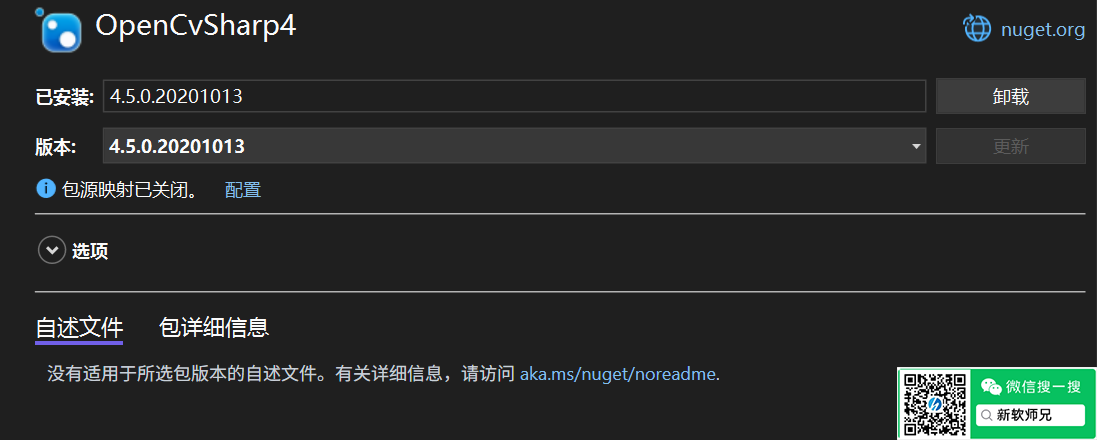
通过NuGet安装以下包:
注意:.NET4.8环境需要安装包:OpenCvSharp4和OpenCvSharp4.runtime.win的版本为4.5
|
1 2 |
Install-Package OpenCvSharp4 Install-Package OpenCvSharp4.runtime.win |
步骤 2:实现录像功能
以下代码展示了如何使用VideoCapture和VideoWriter进行录像:
|
1 2 3 4 5 6 7 8 9 10 11 12 13 14 15 16 17 18 19 20 21 22 23 24 25 26 27 28 29 30 31 32 33 34 35 36 37 38 39 40 41 42 43 44 45 46 47 48 49 50 51 52 53 54 55 56 57 58 59 60 61 62 63 64 |
using OpenCvSharp; using System; using System.Threading; class VideoRecorder { private VideoCapture videoCapture; private VideoWriter videoWriter; private bool isRecording = false; public void StartRecording() { // 初始化摄像头 videoCapture = new VideoCapture(0); if (!videoCapture.IsOpened()) { Console.WriteLine("无法打开摄像头!"); return; } // 设置视频参数 int frameWidth = (int)videoCapture.FrameWidth; int frameHeight = (int)videoCapture.FrameHeight; double fps = 30.0; // 设置输出文件路径和格式 string outputFilePath = $"output_{DateTime.Now:yyyyMMddHHmmss}.avi"; videoWriter = new VideoWriter(outputFilePath, FourCC.XVID, fps, new Size(frameWidth, frameHeight), true); isRecording = true; // 开始录制线程 Thread recordingThread = new Thread(() => { Mat frame = new Mat(); while (isRecording) { videoCapture.Read(frame); if (frame.Empty()) break; // 写入视频文件 videoWriter.Write(frame); // 显示当前帧 Cv2.ImShow("Recording", frame); if (Cv2.WaitKey(1) == 27) break; // 按ESC键退出 } StopRecording(); }); recordingThread.Start(); } public void StopRecording() { isRecording = false; videoWriter?.Release(); videoCapture?.Release(); Cv2.DestroyAllWindows(); } } class Program { static void Main(string[] args) { VideoRecorder recorder = new VideoRecorder(); Console.WriteLine("按Enter键开始录制..."); Console.ReadLine(); recorder.StartRecording(); Console.WriteLine("按Enter键停止录制..."); Console.ReadLine(); recorder.StopRecording(); } } |
关键点说明
-
VideoCapture:用于捕获摄像头视频流。
-
VideoWriter:将捕获的帧写入视频文件。
-
FourCC:指定视频编码格式,例如XVID或MP4V。
-
线程处理:通过线程持续捕获和写入帧,避免阻塞主线程。
最佳实践
-
确保摄像头驱动正常工作。
-
使用合适的分辨率和帧率以平衡性能和质量。
-
在程序退出时释放资源,避免内存泄漏。
通过上述代码,您可以快速实现一个简单的录像功能,并根据需求扩展更多功能,如暂停、截图等。
